

Ingredients · Basics
Add ingredients and prices while writing a recipe
You don't have to stop writing to set up an ingredient. Type it into your recipe, and add its price and allergens from the sidebar beside it.
Before you start
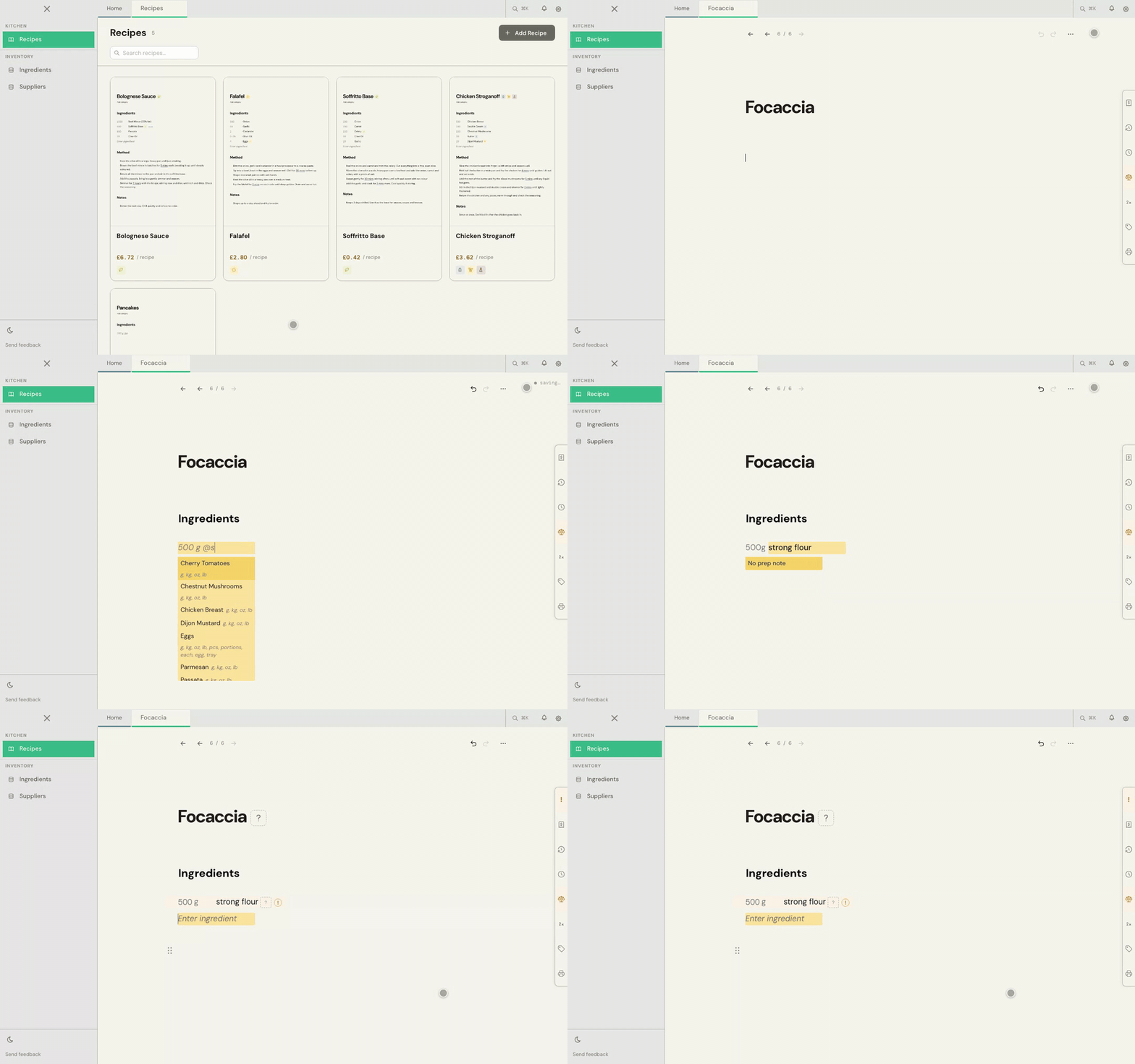
Open a recipe with an Ingredients block. To add one, type /ing on an empty line and press Enter.
1. Create the ingredient from the recipe
- In the Ingredients block, type the quantity and the name, such as 500 g @strong flour.
- If Cuisson doesn't have that ingredient yet, it offers Create "strong flour". Press Enter.
- Press Enter again to skip the prep note.
The line is saved straight away. An orange ! beside it means it has no price yet.
2. Add the price in the sidebar
- Open Alerts, the ! at the top of the panel tabs on the right.
- Under the ingredient's No price alert, choose Add a price.
- On the card, name the variant so it says how you buy it, such as Strong flour 16 kg. If the name includes the size, Cuisson fills in the Pack size and unit for you. If it doesn't, type them in.
- Add the Supplier if you want to record one, and enter what you pay under Pack cost.
- Choose Add variant.
The alert clears and the line is costed. Example: a 16 kg sack at £18.50 is £1.16/kg, so 500 g costs £0.58.
3. Set the allergens
- In Alerts, open Allergens.
- Choose Set allergens beside the ingredient.
- Pick what applies, or None.
The question mark beside the recipe's title changes to show its allergens.
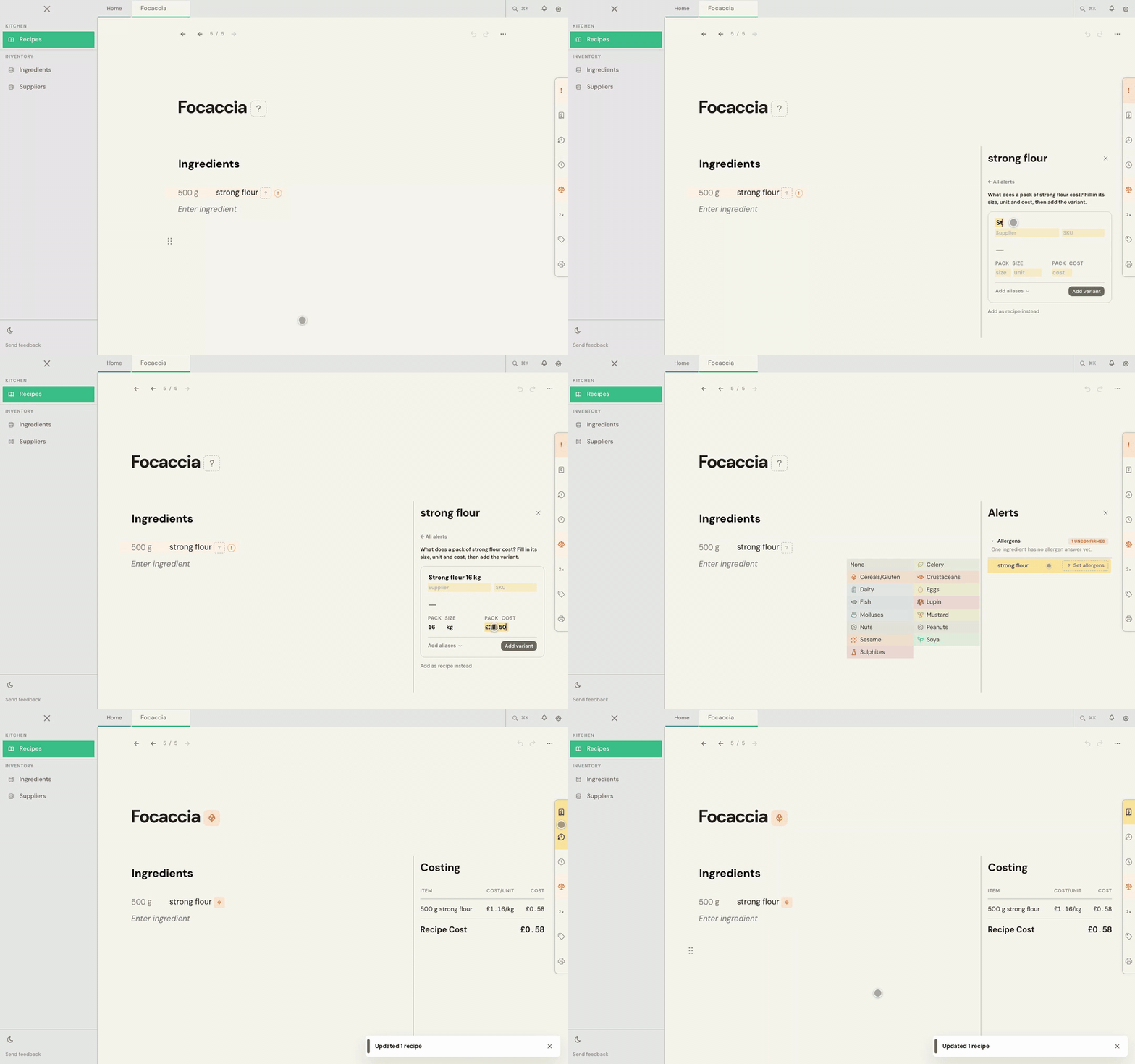
Open the Costing panel to see the line's cost and the recipe total. The ingredient is now in your Ingredients list too, where you can add more detail.
Common problems
Cuisson doesn't offer to create it
It may have found an ingredient with a similar name. Look through the list it shows, and pick Create if none of them is right.
It's something I make, not something I buy
Choose Add as recipe instead under the price card. Use this for a sauce or dough you make yourself.
I need more help
Use Send feedback in the app, or email beta@kitchendocs.co.uk with what you were trying to do.