

Ingredients · Basics
Use your own kitchen units with aliases
An alias lets you write a recipe the way you'd say it, such as 1 bottle double cream or 1 bag spinach, and Cuisson still knows the real amount.
How aliases work
An alias is your own word for an amount of a variant: bottle = 1 L, or bag = 250 g. It belongs to that one variant, so a 1 L bottle and a 10 L bag-in-box can each have their own.
An alias changes how you write a quantity, not how it's costed. "1 bottle" is saved as 1 L and costed as 1 L.
Before you start
The ingredient needs a variant. See Add ingredients and supplier prices.
1. Add the alias
- Open the ingredient and find the variant's card.
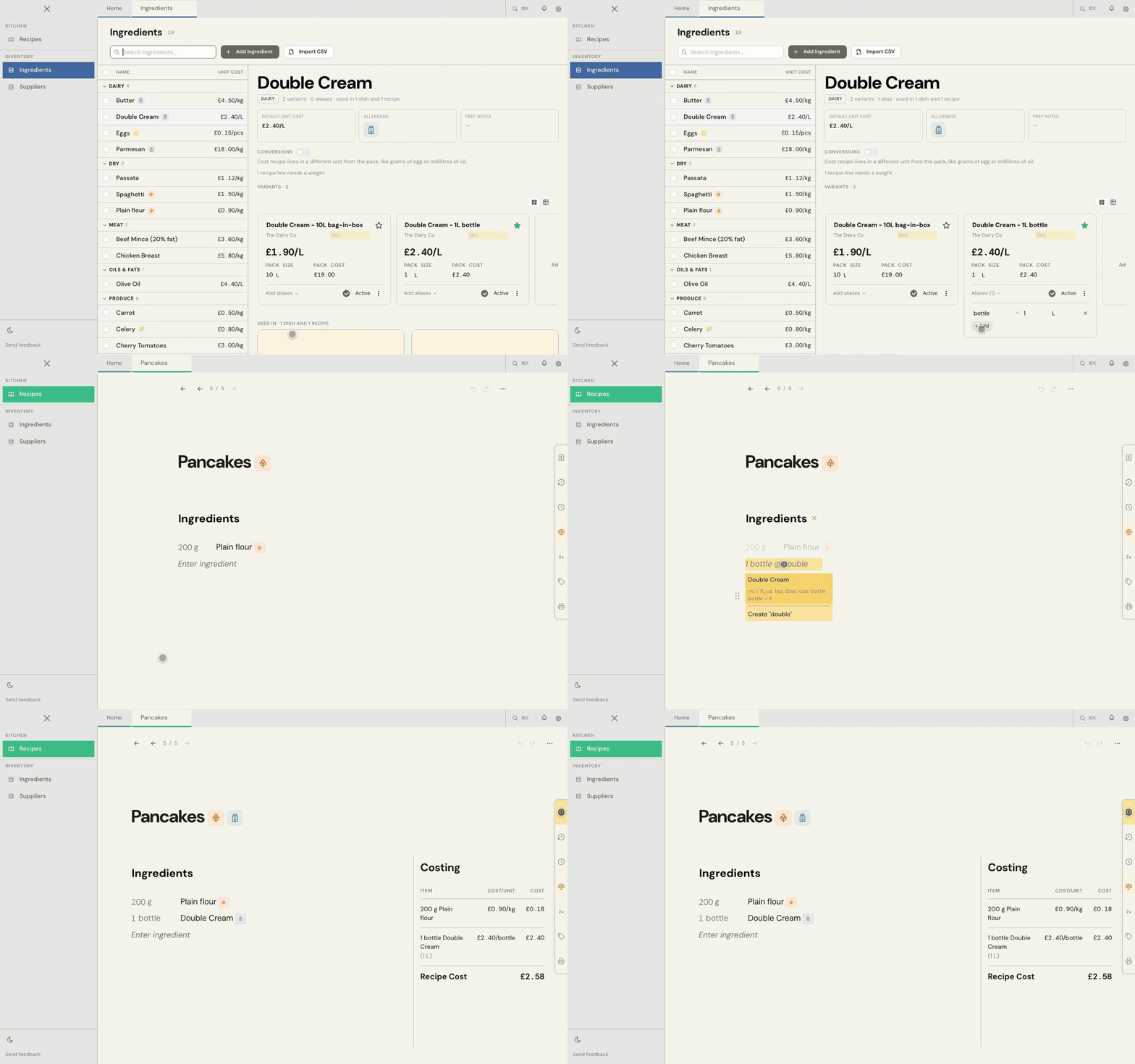
- Choose Add aliases, then + Add.
- Type your word, such as bottle.
- Check the amount. It starts as the whole pack, so a 1 L bottle is already right. For a bag inside a larger case, change it to the size of one bag.
- Press Enter to save.
2. Use it in a recipe
Type the quantity, your word and the ingredient, such as 1 bottle @double cream. The recipe shows 1 bottle, and the Costing panel shows the real amount beside it.
Common problems
Cuisson says "Unknown unit"
The variant that line uses doesn't have that word as an alias yet. Add it to that variant's card, or check the spelling.
My pack is priced each, and I want to weigh it in a recipe
An alias won't do this, because it doesn't change how the pack is priced. Use a conversion instead: see Cost a recipe in a different unit with conversions.
I need more help
Use Send feedback in the app, or email beta@kitchendocs.co.uk with what you were trying to do.