
Ingredients · Basics
Cost a recipe in a different unit with conversions
A conversion lets Cuisson cost a recipe line in a different kind of unit from the pack, such as 100 g of egg when you buy eggs by the tray.
When you need one
Most ingredients don't. You only need a conversion when you buy by one kind of unit and cook with another:
- Weight by count: eggs are bought by the piece, and the recipe uses grams.
- Weight by volume: oil is bought by the litre, and the recipe uses grams.
If a recipe line can't be costed for this reason, the ingredient's page tells you, for example 1 recipe line needs a weight.
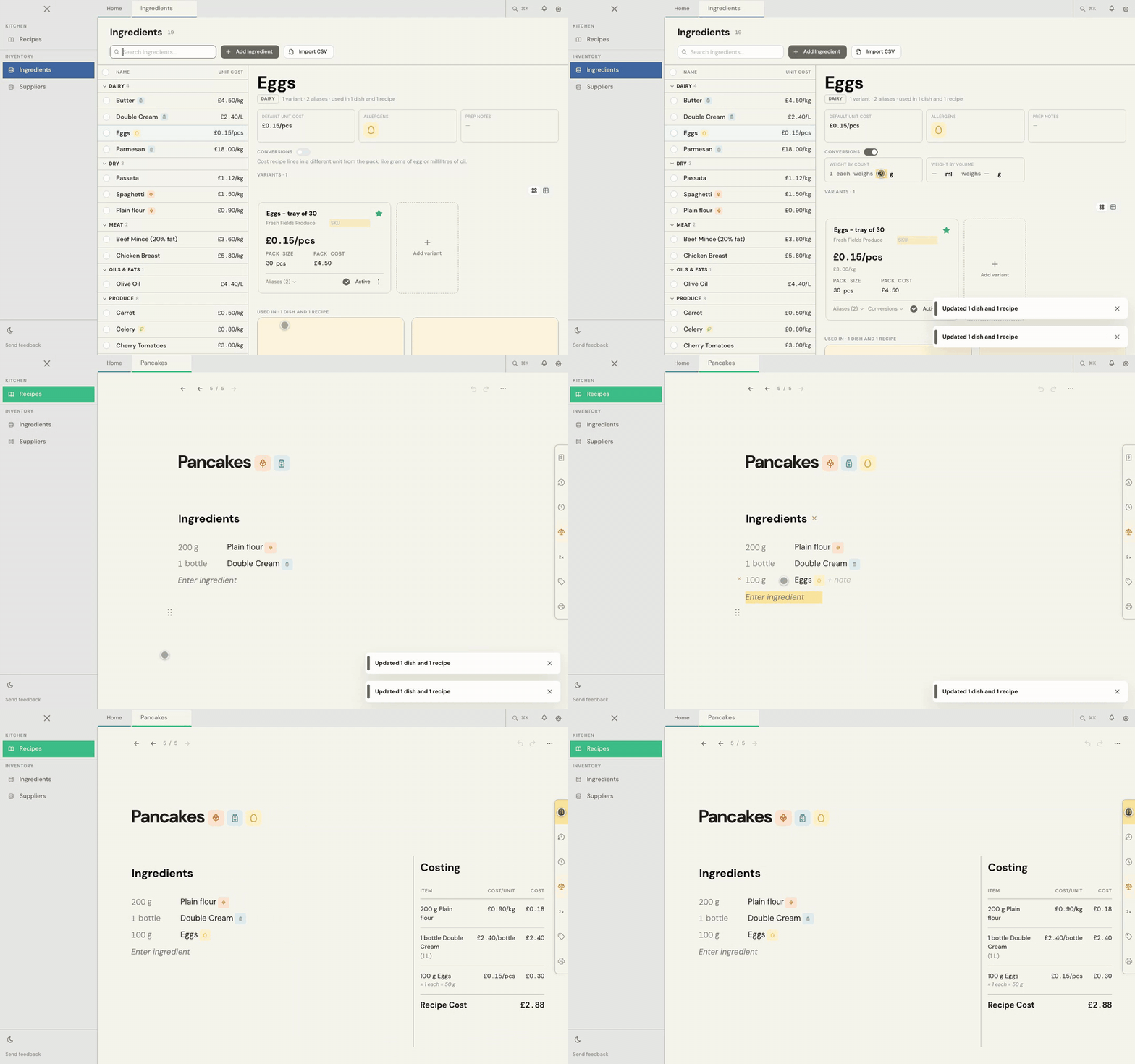
1. Turn on Conversions
- Open the ingredient.
- Turn on the Conversions switch.
2. Enter the figure
- For Weight by count, enter what one weighs: 1 each weighs 50 g.
- For Weight by volume, enter an amount you've measured and its weight: 250 ml weighs 230 g. Both numbers are needed.
Press Enter to save.
3. Use it in a recipe
Type the line in the unit you cook with, such as 100 g @eggs.
Cuisson costs it through your figure, and the Costing panel shows which one it used. At 50 g each, 100 g is two eggs, so at £0.15 each the line costs £0.30, shown with ≈ 1 each = 50 g.
Conversion or alias?
| Alias | Conversion | |
|---|---|---|
| What it is | Your own word for an amount | A fact about the ingredient |
| Example | bottle = 1 L | 1 egg weighs 50 g |
| What it does | Changes how you write a quantity | Lets a line be costed in a different kind of unit |
Common problems
A recipe line says it needs a weight
Open that ingredient, turn on Conversions and enter the figure it asks for.
One variant weighs something different
Use Conversions on that variant's card to give it its own figure.
I need more help
Use Send feedback in the app, or email beta@kitchendocs.co.uk with what you were trying to do.